Cadenivo
Get the subscription link
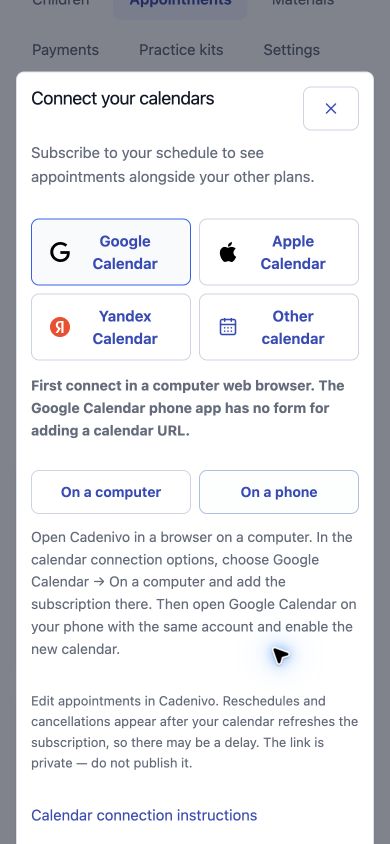
In your specialist workspace, open Appointments → Connect calendars. Choose a provider. For Google, select On a computer to show the private link, then use Copy. The phone option explains where to complete setup.
Open my appointmentsChoose where your schedule is shared
The feed can include child names, session types, appointment times and meeting links. The calendar provider you choose receives these details. Anyone with the subscription link can read the feed: do not publish it or use it as a family invitation.
Google Calendar
On a computer: Google Calendar → Other calendars → + → From URL. Paste the Cadenivo link and add the calendar.
Apple Calendar
Apple Calendar → Add Calendar → Add Subscription Calendar. Paste the link and confirm. On a Mac: File → New Calendar Subscription.
Yandex Calendar
Yandex Calendar → New subscription. Paste the link, choose a calendar name and create the subscription.
Check the result and later changes
Compare an appointment time with Cadenivo and check both time zones. Edit appointments in Cadenivo; the subscribed calendar is a read-only view and updates may be delayed. Importing an ICS file gives a single copy. Families use their own invited workspace and its access permissions.